
Thia Aide AI Comment Moderator - WordPress Plugin

Thia Aide AI Comment Moderator
Intelligent Comment Moderation Powered by Artificial Intelligence
📋 Overview
Thia Aide AI Comment Moderator is a WordPress plugin that automatically moderates comments using advanced AI technology. It analyzes each comment in real-time and determines whether it’s safe, spam, offensive, hate speech, or a threat. The plugin protects your website from unwanted content while ensuring a positive community experience.
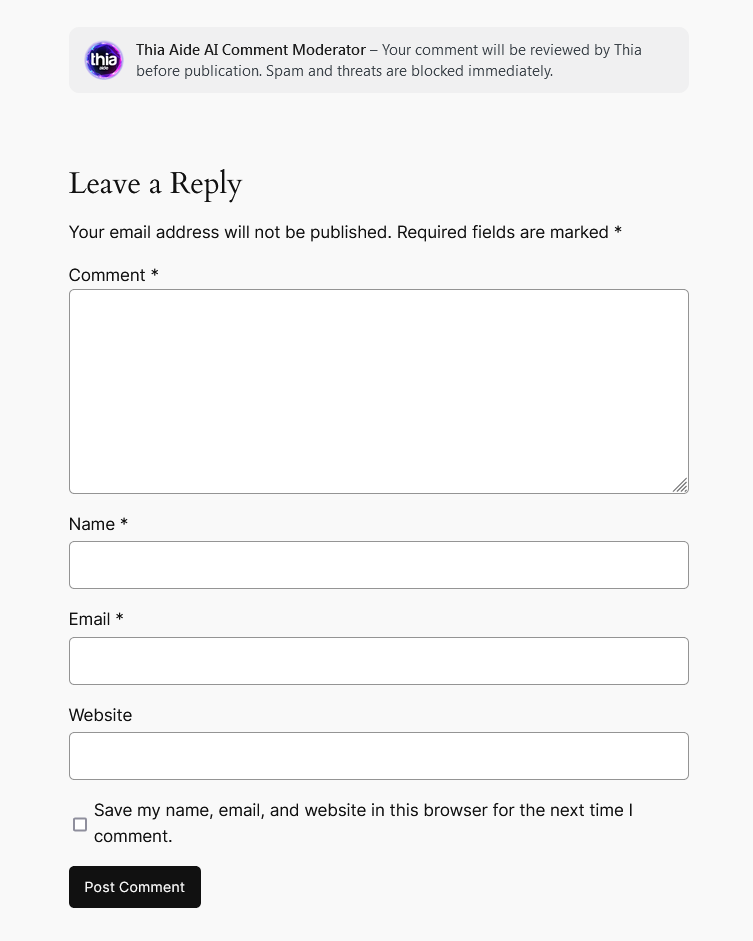
✨ Key Features
AI-Powered Moderation
Uses Thia Aide AI API to analyze comment content and classify it into categories.
IP & Email Blocking
Automatically blocks IP addresses and email addresses of repeat offenders.
3-Strike Warning System
Users get 3 warnings for offensive content before being permanently blocked.
Logged-in User Support
Automatically detects logged-in users and uses their profile information.
Statistics Dashboard
View blocked IPs, blocked users, and active warnings in the admin panel.
Search & Management
Search and manage blocked IPs and users with AJAX-powered interface.
Comment Classifications
The AI analyzes each comment and classifies it into one of the following categories:
| Classification | Description | Action |
|---|---|---|
| ✅ Safe | Normal comments, emotional, sarcastic, ironic, or critical opinions | Approved and published |
| ⚠️ Warning | Offensive or hate speech content (first and second offense) | Warning displayed, comment blocked, user gets strike |
| 🚫 Blocked | Spam, threats, or third offense for offensive/hate content | IP and email permanently blocked |
How It Works
1. Comment Submission
When a user submits a comment, the plugin intercepts the submission via AJAX before WordPress processes it.
2. Local Block Check
The plugin first checks if the user’s IP or email is already in the blocked lists. If yes, the comment is rejected immediately.
3. AI Analysis
The comment is sent to the Thia Aide AI API with a carefully crafted prompt that instructs the AI to:
- Scan the entire text (beginning, middle, and end)
- Detect swear words, profanity, spam, threats, and hate speech
- Respond with classification, reason, and suggestion
4. Response Handling
- Safe: Comment is saved and published
- Warning (offensive/hate): User receives a warning. After 3 warnings, IP and email are blocked
- Blocked (spam/threat): IP and email are immediately blocked, comment rejected
5. Visual Feedback
Users see real-time visual feedback with loading animation, approval messages, warnings, or block notifications.
Technical Details
Database Tables
The plugin creates the following tables in your WordPress database:
– {prefix}thiaide_blocked_ips → Stores blocked IP addresses
– {prefix}thiaide_blocked_users → Stores blocked email addresses
– {prefix}thiaide_warnings → Tracks warning counts per IP/email
AJAX Handlers
– thia_save_comment → Saves approved comment
– thia_search_blocked → Searches blocked IPs/users
– thia_unblock_ip → Removes IP from blocklist
– thia_unblock_user → Removes user from blocklist
WordPress Hooks Used
– admin_menu → Add admin menu pages
– wp_ajax_* → AJAX handlers
– pre_comment_approved → Filter comments before approval
– comment_form_before → Add header before comment form
Admin Panel
The plugin adds a “Thia Moderator” menu item in your WordPress admin dashboard with the following sections:
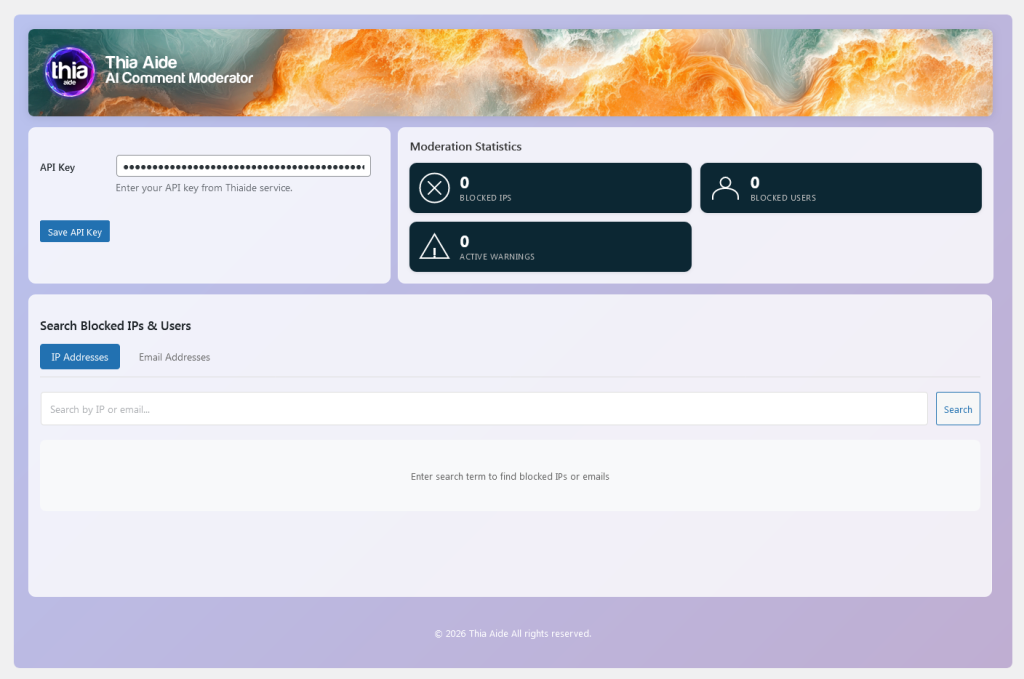
API Key Settings
Enter your Thia Aide API key to enable AI moderation. The key is validated before saving.
Moderation Statistics
View real-time statistics showing:
- Total blocked IP addresses
- Total blocked users (emails)
- Active warnings count
🔍 Search Blocked IPs & Users
Search and manage blocked entries with AJAX-powered interface. You can:
- Search by IP address or email
- Unblock entries with confirmation modal
- View blocking dates
Installation
- Upload the plugin folder to /wp-content/plugins/
- Activate the plugin through the ‘Plugins’ menu in WordPress
- Go to Thia Moderator in the admin menu
- Enter your Thia Aide API key and click Save
- The plugin is now active and will moderate all new comments
Note The plugin automatically creates all necessary database tables upon activation.
Requirements
- WordPress 5.0 or higher
- PHP 7.2 or higher
- Valid Thia Aide API key
- MySQL 5.6 or higher
- JavaScript enabled in browser
