
Organizing Calendar
Calendar Functionality
AI-Powered Smart Calendar Management
Our AI assistant understands natural language commands to manage your calendar seamlessly. No complex forms, just talk naturally!
Core Capabilities
- Natural Language Processing – Just speak or type naturally
- Multi-Language Support – Works in your preferred language
- Context-Aware Responses – AI understands and responds appropriately
Event Management Features
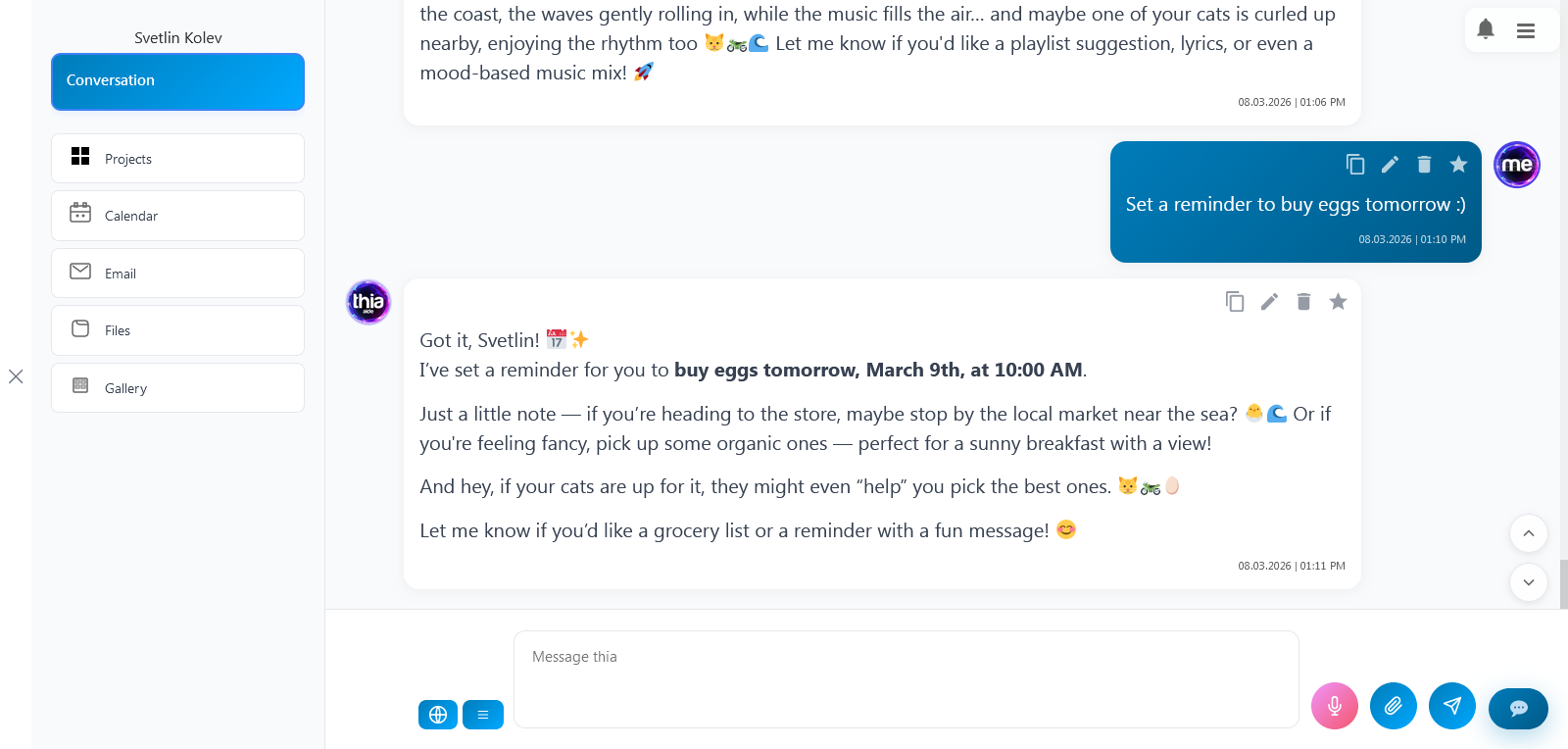
Create Events Naturally
Just say things like:
- “Schedule team meeting tomorrow at 2 PM”
- “Add dentist appointment on Friday 3:30 PM”
- “Create project deadline reminder for next Monday”
AI understands:
- Relative dates (today, tomorrow, next week)
- Day names (Monday, Tuesday, etc.)
- Multiple date formats (15.03, 15/03/2024, 2024-03-15)
- Various time formats (2 PM, 14:30, 9am)
Smart Event Search & View
- Search all events – Past and future
- Project-specific calendars – Separate views for different projects
- Multiple viewing options:
- Today’s events
- Upcoming (next 7 days)
- Past events
- Custom date ranges
Easy Event Editing
Update events naturally:
- “Move Monday meeting to Tuesday”
- “Update project review to 3 PM”
- “Change doctor appointment description”
Safe Event Deletion
- Delete by event ID or title
- Clear confirmation messages
- Prevents accidental deletions
Smart Automation Features
Intelligent Reminders
- 24-hour advance notices – Never miss appointments
- Chat-integrated alerts – Shows directly in conversation
- Daily overviews:
- Morning brief – Today’s schedule
- Evening preview – Tomorrow’s events
AI-Assisted Calendar Management
- Understands project context – Relevant event management
- Learns your patterns – Smarter suggestions over time
- Provides helpful responses:
- Action confirmations
- Updated summaries
- Optimization suggestions
Real-World Use Cases
Business & Project Management
- Project timelines – Schedule milestones and deadlines
- Team coordination – Sync across departments
- Client management – Track meetings and reviews
Team Collaboration
- Meeting scheduling – Find optimal times
- Recurring events – Weekly stand-ups, monthly reviews
- Resource planning – Equipment and room bookings
Personal Productivity
- Daily planning – Structure your workday
- Habit tracking – Regular commitments
- Goal scheduling – Break down objectives into calendar items
Event Types & Customization
- 🗓️ Meetings – Team syncs, client calls, interviews
- 📝 Notes – Important reminders, tasks, ideas
- ⏰ Reminders – Deadlines, alerts, follow-ups
Manual Control Options
While AI handles most tasks automatically, you can also:
- Manually edit any event details
- Verify and adjust AI-scheduled items
- Set custom reminder preferences
- Configure project-specific settings
Getting Started
- Start chatting naturally – Just ask the AI to schedule something
- Specify project context – If needed for organization
- Review suggestions – AI shows what it understood
- Confirm or adjust – Make changes if needed
Start by simply telling the AI what you need for your schedule – it understands natural language and handles all the calendar details automatically!
